
 Jeremy Bowen
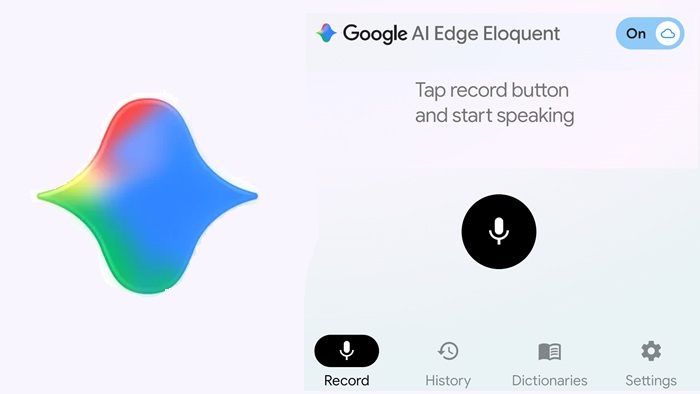
It looks like software makers are releasing new AI voice typing apps almost every day now. But this new one is a little different. Why? Because unlike apps made by small startups or solo developers, this one comes from a big tech company.
Google quietly launched a new offline-focused dictation app called “Google AI Edge Eloquent” on iOS to compete with apps like Wispr Flow, SuperWhisper, Willow, and others.
What is Google AI Edge Eloquent
Google AI Edge Eloquent helps you turn rough and unorganized speech into clean, well-written text. When you start speaking, you can see live text and a voice wave, and you can pause anytime.
Google AI Edge Eloquent is a smart dictation app designed to connect natural speaking with professional, ready text. Unlike normal dictation tools that write every pause and filler word exactly, Eloquent uses AI to understand what you really mean. It removes words like “um,” “uh,” and fixes mid-sentence changes, giving you clear and correct writing.
Key Features of Google AI Edge Eloquent
The app is free to download from the Apple store, and after its Gemma-based speech recognition models are installed, you can begin speaking on your phone. Inside the app, you can see live text, and when you pause, it removes filler words like “um” and “ah” and improves the text.
When you press stop, Google cleans the text and copies it to your clipboard so you can easily paste it into other apps.
Below the text, you will find options like “Key points,” “Formal,” “Short,” and “Long” to change the format of your content.
The app also saves your past sessions and lets you search them. It shows your last session words, your speaking speed per minute, and the total word count.
Google AI Edge Eloquent can also take keywords, names, and special terms from your Gmail account if you allow it. You can also add your own custom words.
Offline Mode and Pricing
Google’s AI dictation app can run fully offline because it downloads Gemma-based speech models directly to your iPhone. Since everything works on your device, Google AI Edge Eloquent offers unlimited use without any subscription.
There is a switch in the top-right corner to turn on a fully offline mode, where your voice data stays only on your device. Turning on Gemini helps improve the text further.
Users can also switch on cloud mode if they want to use Gemini’s AI features. Cloud use is also free for now.
Google says this app gives “voice typing without subscriptions” and has “no usage limit.”
Platform Availability and Future Plans
Right now, the app is only available on iOS, but the App Store details mention an Android version. It says Eloquent will work smoothly on Android, where it can be set as the default keyboard for typing anywhere.
The app may also include a floating button feature, like Wispr Flow on Android, so you can start voice typing from any screen.
Google also says an iOS keyboard version will come soon.
At the moment, there is no Android app available, but Google says it is checking other platforms, including a desktop version.
The official website is hosted on Google’s Google.dev domain, which shows the app is still being developed.
Broader Context
“AI Edge” is Google’s name for AI that works directly on your device. Eloquent is now part of the Google AI Edge Gallery app (Android + iOS), which lets users download the latest Gemma models and has recently received a big update.
AI voice typing apps are becoming more popular as speech-to-text technology improves. With this test app, Google is joining this growing trend. If it works well, we may see better voice typing features on Android soon.
Or, the app might also help Google collect useful data to train future AI systems. As I tested, currently it is only working well for English dictation. It does not write non-English words correctly.