
 Kirsty Wark
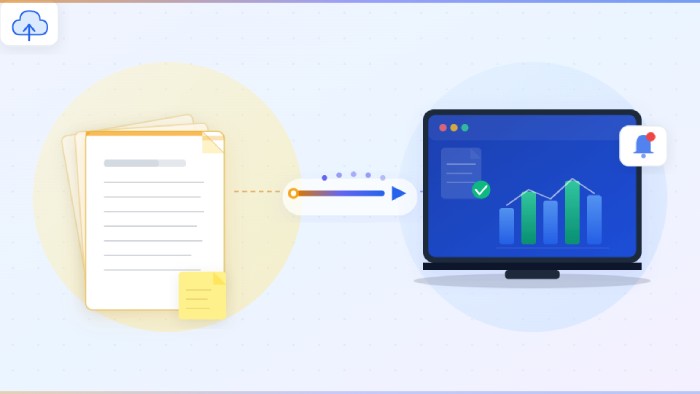
Many businesses use digitization from the wrong end of the process. You may start by buying a scanner or subscribing to a cloud storage service, and then you work out how you can use it. A smarter approach would be for you to begin by mapping your document lifecycle: what you are actually working with, how long you have to keep each piece of information, and who needs access to it. Give your equipment dealer a vacation for a while.
How to Choose the Right Digitization Strategy for Your Growing Business
Here are some ways you should approach digitization the right way.
Separate Your Active Records From Your Archive
Not all documents are of equal importance. For example, a contract you are currently in negotiations with is used differently from a tax record from several years ago. Active files require immediate access, version control, and high access frequency. Archival files must be stored, easily retrievable, and kept for compliance.
If you don’t identify which is which upfront, you’re likely to overspend on building a too-powerful system, or you will end up tearing your hair out trying to find files you archived but needed. Papers that require frequent access will need a full file management solution. These typically include metadata tagging, so you can find the documents later, and integration with your existing operations systems.
Build or buy an in-house or cloud archive system for the rest. A well-thought-out and thorough deletion policy should be developed at the same time. This will show you how long you really need to keep each type of document so you can set up an accurate indexing system.
Build vs. Buy: Where Most Businesses Get This Wrong
Scanning documents in-house can be a viable option for low to moderate, steady-state volume. A departmental scanner, a well-defined naming convention, and an easy-to-use document management system (DMS) that integrates well with your other business software, that’s not a bad strategy for a small or mid-sized business gradually converting a few hundred sheets into electronic records every month.
But this approach doesn’t scale at the high end. We are not even talking about large enterprises here. For even a smaller business, once one-time backfile conversion enters the picture, replace that departmental scanner with an industrial-grade scanning workstation and multi-feed scanner, then imagine five employees standing in line to use it because (surprise) the process of prepping, scanning, and QCing hundreds or thousands of sheets of paper a day is a whole lot more labor-intensive than scanning the occasional memo or invoice. Oh, and you are likely going to need to hire and train at least two more employees to operate the scanner and help manage the transition, assuming you can find space in your office for all those file cabinets you are planning on emptying.
Unless you are operating a records management service bureau yourself, you won’t have the proper imaging hardware or trained labor to convert a half-century of business records to digital images in a timely, cost-effective, and accurate manner. Local businesses handling this kind of transition often turn to document scanning services minneapolis to ensure consistent image quality and secure chain-of-custody handling throughout the process.
The “Day Forward” Approach Prevents the Problem From Getting Worse
First things first, before you even think about looking at the backlog, make sure the flow of new paperwork has been stanched. You need to put a rule in place that feels almost like a totalitarian edict: no piece of paper is allowed to enter the system after X date.
The world is increasingly paperless for a highly practical reason: when something exists in a matrix of shared online folders, everybody who needs access can just get it themselves, immediately. When you cut a day forward rule, you’re forcing adherence to that policy for long enough that people get over their unnecessary paper habits and adjust to a paper-light reality.
Of course, the deeper logic here is that a day-forward rule is the only way to throttle the inflow of new documents long enough for you to clear the old ones out in the first place.
Security Doesn’t Stop at the Filing Cabinet
Securing physical documents is quite easy to understand; you keep them in locked rooms, log every visitor, and have proper shredding procedures in place. On the other hand, digital security is much more abstract, making it all too simple for you to brush it off and deal with it later.
But it really cannot wait. Digitalized documents must be encrypted during and after transmission. Access must be safeguarded via role-based restrictions so that, for example, an accounts payable employee doesn’t have the same access as your legal department. And if your business deals with health-related or personal information, you have to comply with specific data protection regulations. All these requirements are necessary and imply the proper operation of your data protection structure.
As far as recovery is concerned, the same precautions apply. One of the best reasons for you to convert paper materials into digital files is that, in the case of a flood or a fire, your properly backed-up digital documents are indestructible. But this is true only if you regularly check if everything has been backed up, keep detailed records, and routinely check the integrity of your files. A subscription to a cloud service nobody uses can hardly be considered in a recovery strategy.
Scale the Strategy, Not Just the Storage
Successful digitization in companies is when they perceive it as an infrastructure choice rather than an archiving one, with the paperless office not as a form-over-function concept but as needed to access important information, ensure compliance, easily automate mundane tasks, and continue expanding their business.
The document lifecycle should be the first step. You should implement a day-forward strategy ASAP. Also, you’ll need to develop some realism on what converting certain high volumes of documents means. Finally, instead of dealing with security issues after the fact, you should incorporate them from the design phase.